
- Home
- Who We Are
- Our Services
- Case Studies
- Journal
- SEO Audit
- Career
- Contact Us

First of all, We need to know that, What is META TAG?
Meta tags are a code of text that describes what your webpage is about. The meta tag doesn’t appear on the page itself, but it will be on the backend side of your webpage in the code section. Meta tags provide information about the webpage in the HTML of the document. This information is called “metadata”.
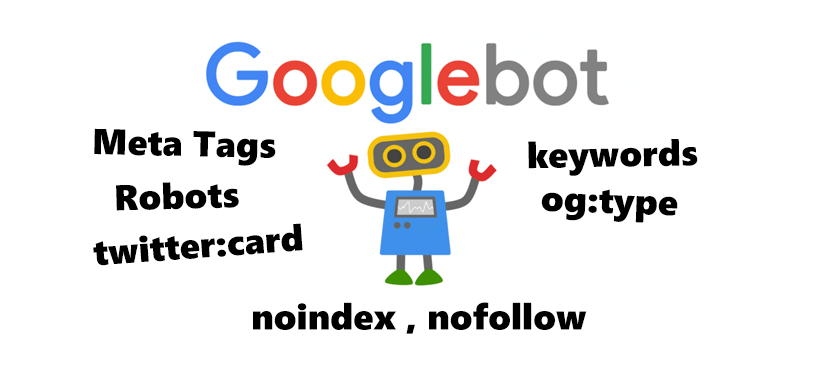
What is Meta robots?
The meta robots tag tells search engines if and how they should crawl your web pages.
Why Meta robots important for SEO?
Using the wrong attributes in the meta robots tag can have a catastrophic impact on your site’s presence in the search results. Your SEO efforts rely on you understanding this tag and using it effectively.
Is Meta Tag For Seo only useful for search engines?
NO, Meta tags are not only useful for search engines but it also useful for social marketing sites like Facebook, Youtube, Linkedin, Twitter, and many more.
<head>
<meta name="title" content="Meta Tags — Preview, Edit and Generate">
<meta name="description" content="Free Web tutorials">
<meta name="keywords" content="HTML, CSS, JavaScript">
<meta name="author" content="John Doe">
</head>
Let’s Understand the above code,
<meta name=”title” content=”Meta Tags — Preview, Edit and Generate”>
This line tells the search engine title of the page and your page content tagline. The name parameter contains the title here and the content parameter is used for the to provide page information in one line format.
<meta name=”description” content=”Free Web tutorials”>
Define a description of your web page.
<meta name=”keywords” content=”HTML, CSS, JavaScript”>
Define keywords for search engines.
<meta name=”author” content=”John Doe”>
Define the author of a page.
Now you have a question on how this meta tag for SEO looks in search engine? For instance check below attached image for better understating.

Check out the code below for meta tag integration in facebook or In other words, you can say How Meta tag for SEO works on Facebook?
<meta property="og:type" content="website">
<meta property="og:url" content="https://www.inventive9.com">
<meta property="og:title" content="Title — Tag line of the page">
<meta property="og:description" content="its content short description of your post or page">
<meta property="og:image" content="https://www.inventive9.com/wp-content/uploads/2020/06/Meta-Tag-For-SEO.png">
Let’s Understand the above code,
<meta property=”og:type” content=”website”>
This line tells the facebook type of your source the sharing post come from like Website or WebApp Or Mobile Application.
<meta property=”og:url” content=”https://www.inventive9.com”>
As you can see here, this specifies the URL or permalink of the website.
<meta property=”og:title” content=”Title — Tag line of the page”>
Same as in search engine this line helps Facebook to understand the title of the page and your page content tagline.
<meta property=”og:description” content=”its content short description of your post or page”>
Define a description of your web page.
<meta property=”og:image” content=”https://www.inventive9.com/wp-content/uploads/2020/06/Meta-Tag-For-SEO.png”>
This one is an important one when you sharing your post.
Many of you are facing issues sometimes when you share your post or webpage that time wrong image appears in preview or no image at all.
However, you already added one or more images in the content still. The image you see in Facebook page when you share your post or page that comes from the meta tag “og:image” you define in your page or post. If this Meta tag does not have a proper image then facebook may show the wrong image or no image at all too.
Check out the code below for meta tag integration in Twitter or In other words, you can say How Meta tag for SEO works on Twitter?
<meta property="twitter:card" content="summary_large_image">
<meta property="twitter:url" content="https://www.inventive9.com/">
<meta property="twitter:title" content="Title — Tagline">
<meta property="twitter:description" content="With Meta Tags you can edit and experiment with your content then preview how your webpage will look on Google, Facebook, Twitter">
<meta property="twitter:image" content="https://www.inventive9.com/wp-content/uploads/2020/06/Meta-Tag-For-SEO.png">
Twitter Meta tags work the same as Facebook once. For the post image in facebook you are using “og:image”. When in the Twitter you are using tag “twitter:image” one.
Meta Tags are always inserted into the head section of your webpage code. You can place your meta tag code snippet anywhere in the head section before the head section end. you will see the sign of code </head> where the head section is ending.
In addition, there is one more Meta tag for SEO. which is also important. This tag is used when you Don’t want to index your page in Search engines. After adding this tag search engine will bypass this page from crawling.

There are also many more other tags like robots, googlebot, rating etc.. For details ifromation about them you can visit google official link here.
In conclusion, These tags are useful when search engine bots are crawling them, at the time of crawling these tags will tell bots to some important information about the page or post content and help them to identify and organize the content on their server.
I hope you guys enjoy the article, Feel free to ask if you have any questions regarding the above article in the comment box below.
Thanks & Regards
Inventive9

Hello! I know this is kind of off topic but I was wondering if you
knew where I could locate a captcha plugin for my comment form?
I’m using the same blog platform as yours and I’m having problems finding one?
Thanks a lot!
You can add google Recaptcha.
Thanks for a marvelous posting! I genuinely enjoyed reading
it, you may be a great author.I will always bookmark your blog and will come back later in life.
I want to encourage one to continue your great work, have a nice afternoon!
Thanks, Gary